
Leep: Chat Video, Share
Donut Chat Inc LimitedLifestyle
4.239.00 Reviews
- Version
- 1.7.7
- Installs
- 100.00K
- Age Rating
- Teen
Screenshots



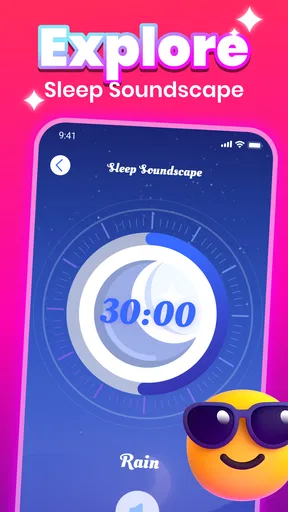
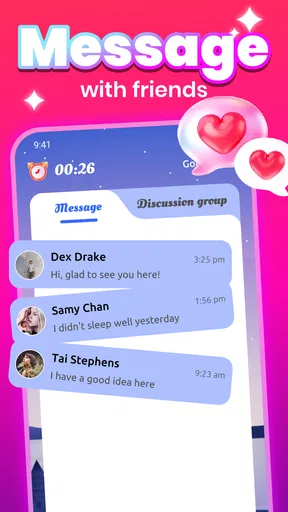
Our Review of Leep: Chat Video, Share
 Analysis by Appyee
I tend to judge a communication app by a simple test: can I move from a quick message to a call or a shared item without losing track of the conversation? Leep: Chat Video, Share is built around that joined-up routine. It is a free lifestyle app from Donut Chat Inc Limited, and its mix of chat, video and sharing is aimed at people who want everyday contact to feel less scattered. The app has an average rating of 4.3 from over 800 ratings, with more than 100,000 installs. That gives a useful sense of its audience, though the real question is whether its all-in-one approach suits the way you and your friends communicate.
Start with the conversation you already have
The easiest way to assess an app like this is to picture a normal plan taking shape. A friend sends a message about meeting up; someone else needs the details; later, you want to show a photo or talk through a change. Leep brings those kinds of interactions together, which can make it handy when a conversation naturally moves between text, media and a live call.
That convenience depends on the people you want to reach being willing to use the same app. Communication tools are most useful when your contacts are already there, so I would treat Leep as a good candidate for a family chat, a close group of friends or a small circle that is happy to try something new—not as an automatic replacement for every messaging app on your phone.
Getting Started with Leep
From the moment you download Leep: Chat Video, Share, the setup is a breeze. The app welcomes you with a clean and intuitive interface that even my grandma could navigate. Signing up just requires the usual details, and in no time, you're ready to explore.
The app combines chatting, video calls, and sharing features all under one roof. This means less app-switching and more time enjoying what you love. Whether you're a social butterfly or someone who loves to share cat videos, Leep has got you covered.
Chatting Features
Let’s talk about the chatting experience first. The messaging interface is super smooth. You can send texts, images, and even quick voice notes. The coolest part? The app supports rich text formatting, so you can make your messages stand out with italics or bold text. The emojis are fresh, too, keeping your conversations lively and fun.
Group chats are a breeze. You can create groups in seconds, making it perfect for planning events or just catching up with your squad. The app also supports disappearing messages, adding a layer of privacy for those secret plans.
Make group messages easier to act on
A group chat can quickly become a jumble of decisions, photos and side conversations. I find formatting most useful when a message needs to be noticed rather than merely sent: bold text can make a time or change of plan easier to spot, while a short voice note can explain a detail that would take several messages to type. These are small choices, but they help keep a busy thread readable.
For an everyday example, imagine friends coordinating a weekend outing. Put the changing plans in the group conversation, send a picture to show the meeting point, and move to a video call if the group is going in circles. The practical benefit is continuity: people do not need to jump between separate tools just to follow the same plan. The trade-off is that every participant needs to check the group and keep the thread manageable.
Disappearing messages are better treated as a convenience for reducing lingering chat content than as a guarantee that nobody can preserve or share what they see. I would avoid sending anything sensitive on the assumption that a disappearing setting makes it impossible to retain. For genuinely private or important communication, think about the content itself and who is in the conversation, not just the setting.
Seamless Video Calls
Video calls on Leep are surprisingly clear. I tested it out with a friend across the country, and the video quality was top-notch. There's a nifty feature to switch between front and back cameras without any glitch, which I found super handy.
One feature that stands out is the ability to share your screen during calls. This is perfect for showing off presentations or just scrolling through memes together. Plus, the app allows for group video calls, so you can connect with multiple friends at once without dropping a beat.
When a call is the better handoff
Text is efficient for a simple answer; a call is often better when tone, timing or a visual explanation matters. A screen share can help when you are trying to point out something on your device rather than describe it line by line. Switching between the front and back cameras also makes the call more useful for showing your surroundings, instead of ending the conversation and sending a separate clip.
There is still a real-world limit: video depends on a stable connection and on everyone being free at the same time. If a call becomes choppy or someone is in a noisy place, a clear message or a photo may be more dependable. I would also avoid treating a group video call as a substitute for a formal meeting when you need predictable controls or a structured agenda. Leep’s appeal here is spontaneous coordination, not necessarily professional conferencing.
Sharing is Caring
If you're someone who loves sharing content, this is where Leep shines. The app lets you share photos, videos, and even documents with ease. The process is straightforward: select, upload, and share. There’s no need to worry about file size limitations, which is a huge plus for those high-quality video files.
The app integrates directly with your photo library, making it easy to find and share your favorite snaps. You can also create albums and share those with friends, which is awesome for events or trips.
Turn a pile of photos into a useful handoff
Albums make more sense when several people need to look back at the same event than when you are sending a one-off image. After a trip or celebration, gathering related photos together can give the group one place to revisit the moment rather than scattering pictures across separate chat replies. Before sharing, I would still choose the images deliberately: a convenient album is only helpful if it contains what the recipients actually need to see.
Documents add another practical use, such as passing along an itinerary or a shared plan. For anything important, check that the recipient can open the file and that the version you sent is the one you intend them to use. An app can simplify the handoff, but it cannot prevent confusion if several people are editing or referring to different copies elsewhere.
This is also where a dedicated cloud-storage or file-sharing service may be a better fit. Leep is appealing when the file belongs in a conversation with friends; a specialist tool is preferable when you need organized long-term storage, careful version management or a formal work process. The choice is less about which app is universally better and more about whether the item is part of a social exchange or a larger project.
Personalization and Privacy
Leep comes packed with personalization options. You can customize your chat backgrounds, notification sounds, and even app themes. It's a small touch, but it makes the app feel more personal and unique.
Privacy is a big deal these days, and Leep takes this seriously. The app supports end-to-end encryption for messages and calls, ensuring that your conversations stay private. Plus, you have control over who can contact you, with options to block and report users as needed.
Choose the right audience and expectations
Personal touches can make a frequently used chat feel more recognizable, but they are secondary to the people and conversations inside it. I would keep notification choices practical: make the chats you need to notice easy to distinguish, and avoid letting every group interrupt you if you only need to check it occasionally. That small bit of organization matters more once one app is handling several kinds of contact.
Leep is rated Teen, so it is not intended as an unrestricted app for young children. For a teen or adult considering it, the useful questions are who can contact them and whether they are comfortable managing social conversations in one place. Blocking and reporting controls are worthwhile tools, but they do not remove the need to be thoughtful about requests, shared media and group membership.
People who mainly want private one-to-one messages may prefer a messaging app already used by their contacts. Those who prioritize public discovery or a large social feed may find a social network more suitable. Leep’s strongest case is a smaller, familiar circle that wants chat, calls and shared content connected; if your contacts are spread across different services, the all-in-one promise will be less compelling.
What to expect before making it your main app
Leep is free, runs on Android 7.0 or later, and is currently at version 1.7.6. It was released on April 20, 2025. Those details make it straightforward to assess basic fit: check your device’s Android version, then consider whether your regular contacts are willing to join. Its rating and install count suggest that other people are using it, but neither can tell you whether your particular group will adopt it.
One sensible way to try it is to start with a low-stakes group rather than moving every conversation at once. Use it for a trip plan or a casual family thread, see whether everyone can follow messages and share what they need, and only then decide if it deserves a larger role. That approach avoids the common frustration of migrating chats before you know whether your friends will participate.
I would also keep a familiar alternative available while testing. If a contact cannot be reached on Leep, or a call is not practical at that moment, switching to the channel they already check is more useful than insisting on a single-app routine. An all-in-one app reduces switching only when the people involved actually use it.
Final Thoughts
Overall, Leep: Chat Video, Share is a solid choice if you're looking for an all-in-one communication app. It combines the best of messaging, video calls, and sharing features without feeling overwhelming. The app is user-friendly, secure, and offers a lot of flexibility for personalization.
Whether you're connecting with family, friends, or colleagues, Leep makes it all feel effortless. So, if you're on the hunt for a new app to keep you connected, give Leep a try. You might just find it’s the only app you need.
Who will get the most from it
I would recommend giving Leep a try if your everyday communication often moves from a quick text to a call and then to photos or a document. It is especially suited to a friend group or family that shares plans and media regularly and is comfortable bringing those exchanges into one app. The useful outcome is not simply having more features; it is keeping a conversation and its related content closer together.
I would skip it as a main communication hub if your contacts already rely on another service, if you need a specialist work platform, or if your priority is a public-facing social experience rather than direct contact. In those cases, the app you and your group already use—or a tool designed specifically for work or public sharing—will likely create less friction. For everyone else, trying it with one familiar group is a sensible, low-pressure way to see whether its connected workflow earns a place on your phone.
Verdict
Strengths of Leep: Chat Video, Share
- Intuitive user interface enhances user experience.
- Seamless video sharing with friends and family.
- High-quality video calls without lag issues.
- Robust privacy settings to protect user data.
- Cross-platform compatibility for easy access.
Limitations of Leep: Chat Video, Share
- Occasional glitches during video playback.
- Limited customization options for chat themes.
- Requires stable internet for optimal performance.
- In-app purchases can be pricey over time.
- Battery consumption is higher than average.
Similar Picks in This Category
View All
SmartThings
Samsung Electronics Co., Ltd.4.6

Google Home
Google LLC4.0

Pinterest4.2

Astrotalk - Talk to Astrologer
Astrology & Horoscope4.7

My Verizon
Verizon Consumer Group4.5

Samsung Wallet (Samsung Pay)
Samsung Electronics Co., Ltd.4.1
Frequently Asked Questions
What features does Leep: Chat Video, Share offer?
Leep provides a comprehensive suite of features, including instant messaging, video calls, and multimedia sharing, all within a user-friendly interface. The app supports group chats and allows users to share images, videos, and other files seamlessly. It also includes privacy settings to ensure secure communication.
Is Leep available for both Android and iOS devices?
Yes, Leep is available for download on both Android and iOS platforms. Users can find the app on the Google Play Store for Android devices and the Apple App Store for iOS devices. Regular updates ensure compatibility with the latest operating system versions.
Does Leep require an internet connection to function?
Leep requires a stable internet connection for its core functionalities, including messaging, video calls, and file sharing. While basic messaging may work on slower connections, a high-speed connection is recommended for video calls and seamless multimedia sharing.
Are there any in-app purchases or subscription fees in Leep?
Leep offers a free version with essential features. However, there might be in-app purchases or subscription plans offering enhanced features, such as additional storage, advanced privacy settings, and premium support. Users can choose to upgrade according to their needs.
How secure is the communication on Leep?
Leep prioritizes user security with end-to-end encryption for all messages and calls, ensuring that only the intended recipients can access the content. The app also includes customizable privacy settings, allowing users to control who can contact them or view their shared content.
